

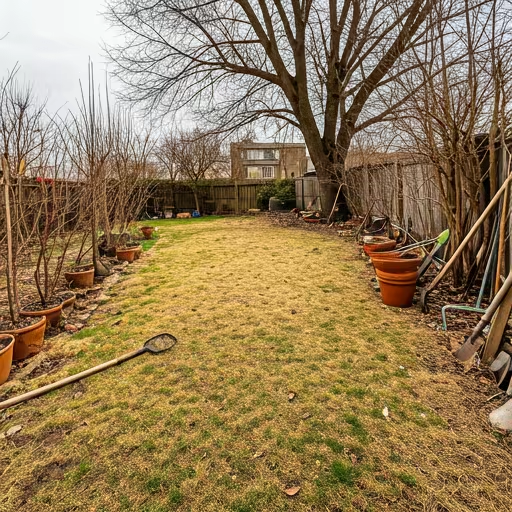
Try Landscape Design AI Free
Upload a yard photo or describe your space — get a photorealistic AI landscape design in under 10 seconds.
Design Parameters
Define your site conditions to initialize the Arboretum engine.

Zen Modern

Wild Native

Cottage

Desert Modern

Mediterranean

Tropical
Design Showcase
Demo preview · generate to see your designs
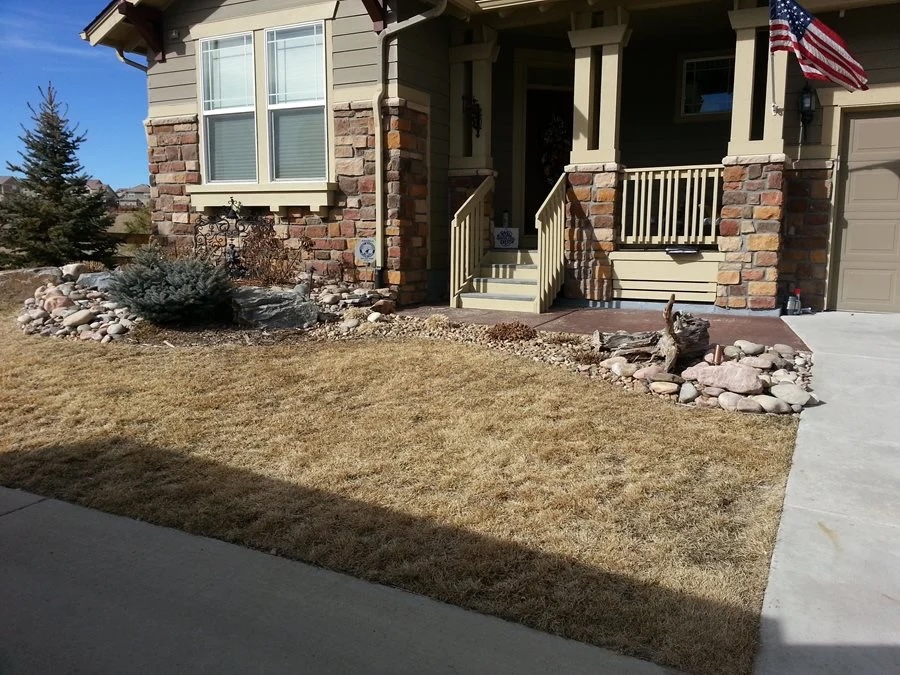
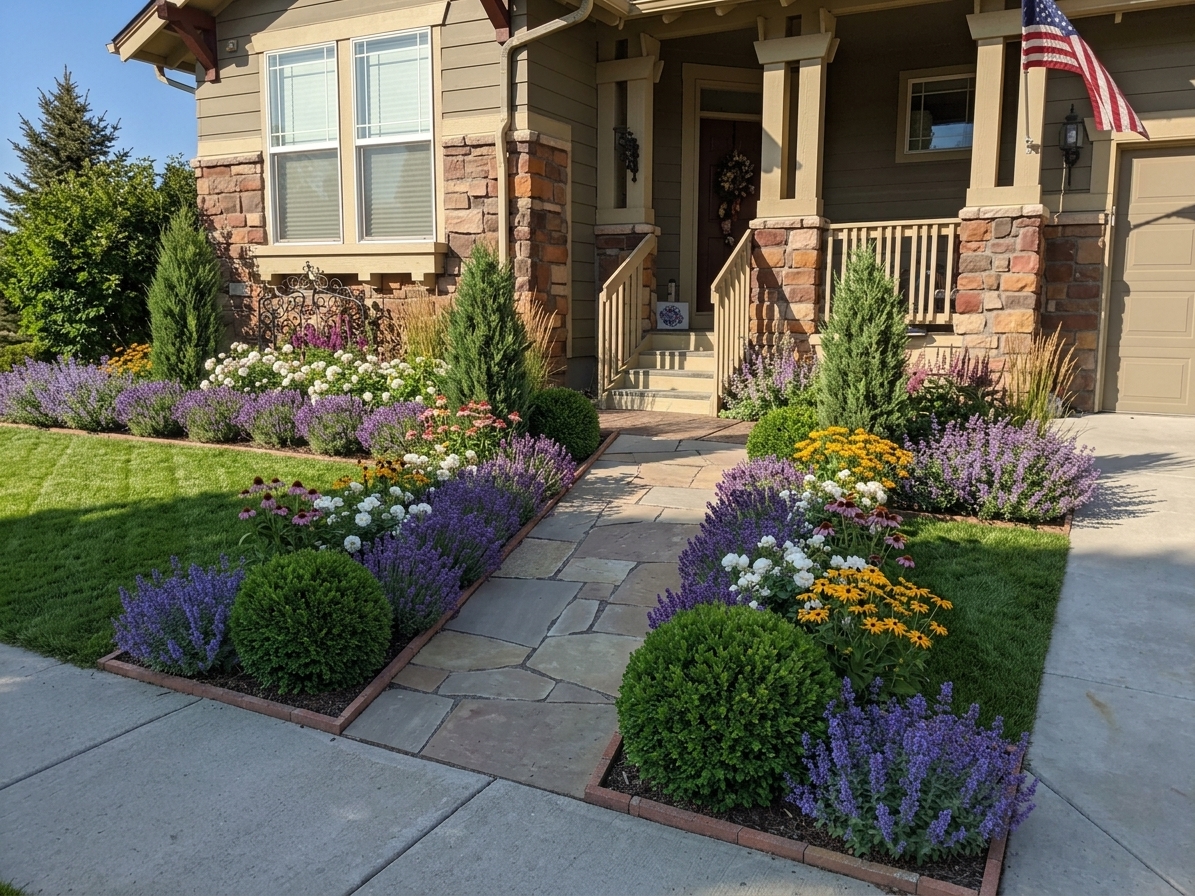
Growth Simulation
Year 1
Establishment
Year 5
Maturity
Year 10
Full Canopy
Generate designs first to enable growth simulation
Built for Every Vision

Homeowners
Design your dream home without the expensive consultation fees.
DIYers
Step-by-step planting guides and material lists for your project.
Sellers
Maximize property value with AI-enhanced landscape staging.

Contractors
Close more deals with instant, stunning visual proposals for clients.
What is Landscape Design AI?
Landscape Design AI is an online AI agent that turns outdoor space photos into photorealistic 3D landscape designs. Upload a photo of your backyard, front yard, patio, or garden, choose a style, and get multiple 3D design concepts with location-based plant recommendations, material list, and a growth simulation showing your yard in 5 years, 10 years, and across every season.
Used by homeowners, DIY landscapers, and landscape contractors to visualize and plan outdoor spaces — without needing design software or professional training.
"Rooted in Nature, Grown by Tech."
How to Use Landscape Design AI
Get a professional landscape design in 3 simple steps — no design skills required.
Upload Your Yard
Take a photo from your phone or upload existing property scans. Our AI instantly maps the terrain and identifies existing plants, fences, and structures.

Choose Your Style
Select from over 15+ architectural styles including Modern, Zen, and Desert. Customize colors, materials, and specific plant varieties with a simple tap.

Download Your Design
Preview your landscape in 5-year and 10-year growth simulations across every season. Download a contractor-ready PDF with plant list and materials list.
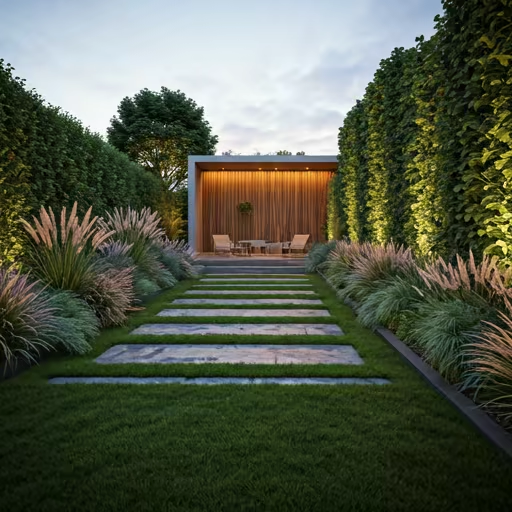
Why Choose Landscape Design AI
Discover why thousands of homeowners, DIY landscapers, and contractors trust our AI landscape design tools.
Growth Simulation
See Your Yard's Future
Easily preview how your yard looks in 5 years, 10 years, and across every season.
Generation Time
Instant Landscape Design
Upload your yard photo and watch a photorealistic 3D landscape design appear in under 10 seconds.
Design Styles
A Style for Every Yard
Choose from 15+ design styles and the AI instantly generates matching plants, materials, and layouts for each one.
Plant Recommendations
Climate-Smart Plant Picks
Every plant recommendation is matched to your climate zone and growing conditions.
See Tomorrow, Today.
Our growth engine doesn't just show you how your garden looks today. It simulates 20 years of maturation so you can avoid overcrowding and future root damage.
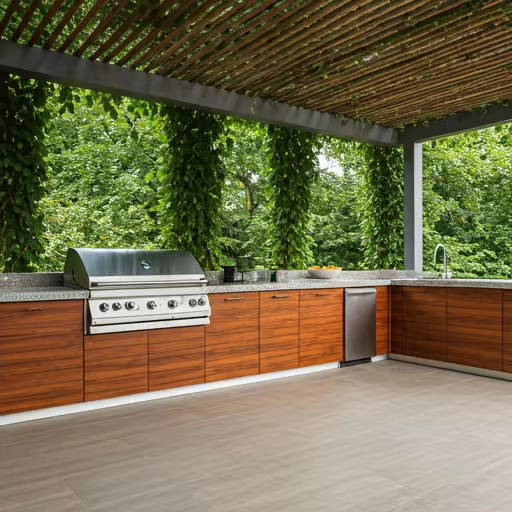
What Users Say About Landscape Design AI
From homeowners planning weekend projects to contractors closing jobs faster — here's how people use it.
"Honestly I was skeptical. My backyard is just a patch of dirt and dead grass and I've been ignoring it for three years. Uploaded a photo, got results in like a minute, and I actually called a contractor the same day. Had NO idea it could look like that."

Sarah M.
Homeowner · Austin, TX
"I had this vision in my head for my front yard for two years but could never explain it. Put my photo in and saw it on screen and immediately went — wait, I want the garden beds on the other side. Walked into the nursery with an actual plant list. Game changer."

Derek P.
DIY Landscaper · Portland, OR
"I started using it for listings with rough curb appeal. Throw in a photo, generate a concept, add it to the MLS as a potential rendering. Had a buyer last month who said that image was the reason they booked the showing. Not bad for 2 minutes."

Lisa T.
Real Estate Agent · Phoenix, AZ
"I pull it up on my phone while I'm still at the site. Client sees 3 options before I even get back to my truck. I'm closing jobs I used to lose."

Marco R.
Landscape Contractor · San Diego, CA
Inspired Transformations
Explore All Designs


Start Free. Upgrade When You're Ready.
Get your first design free — no credit card required. Upgrade for more generations, plant lists, and PDF exports.
Get Weekly Landscape Design Ideas and New Feature Updates
Free design inspiration, seasonal planting guides, before/after showcases, and early access to new AI features — delivered weekly.
Expert Landscape Guides
View All
The Future of Generative Landscaping: Beyond 3D Models
Discover how neural networks are learning the bio-rhythms of specific plant species to predict ecological success in residential designs.

10 Best Xeriscape Plants for 2024
5 min read

DIY Outdoor Lighting Tips
8 min read

Mastering the Cottage Core Aesthetic
12 min read
Frequently Asked Questions About Landscape Design AI
Common questions about how AI landscape design works, what it costs, and how to get the most out of it.
What Is This & How Does It Work
What is Landscape Design AI?
Landscape Design AI is a web-based tool that generates photorealistic landscape designs from a yard photo or text description. Upload a photo of your backyard, front yard, patio, or garden — and get a full redesign with a plant list, materials list, and PDF export in under 10 seconds. No design experience or software required.
How does AI landscape design work?
You upload a photo of your yard, choose a design style and preferences, and the AI generates a photorealistic redesign of your outdoor space. It reads the existing layout, structures, and vegetation in your photo and applies a new planting plan and hardscape layout. The whole process takes under 10 seconds.
Is AI landscape design free?
Yes — you get 3 free AI landscape designs with no credit card and no sign-up required. Free designs include the basic render. All paid plans unlock the full feature set: plant list, materials list, PDF export, and growth simulation. Credits start at $9 for 15 designs and never expire.
What if I don't know what design style I want?
Browse the Style Gallery before you start — it shows AI-generated designs across 15+ styles so you can find a direction you like. You can also describe what you want in plain words ("something low maintenance with a modern feel") and the AI will interpret it. Most users find a direction after seeing 2–3 examples.
Photo Input & Getting the Best Results
Can I upload a photo for AI landscape design?
Yes — photo upload is the core workflow. Use any yard photo taken from a normal standing angle; phone photos work perfectly. For best results, shoot in daylight and capture as much of the yard as possible in a single frame. For a more complete design, try uploading 3 angles: front-facing, left side, and right side.
What photo angles work best for AI landscape design from photo?
A straight-on shot from the edge of the space works best for backyards and front yards. For patios, a slightly elevated angle helps capture the full area. Avoid extreme close-ups or heavily shadowed shots — the AI needs enough context to read the space layout.
Can I design my yard without a photo?
Yes. Use text-to-landscape design mode: describe your space and style preferences in plain language, and the AI generates a design concept from scratch. This works well for planning a new build or for very small spaces where a single photo doesn't capture enough context.
What if the AI design doesn't look right?
Try regenerating with a clearer photo or a more specific style description. Adding detail helps — instead of "modern," try "modern minimalist with decomposed granite, ornamental grasses, and a concrete path." You can also generate a new concept for the same photo without using an additional credit for the upload.
Output — What Do I Get
Does the landscape design include a plant list?
Yes. Every paid design includes a labeled plant list with species names, placement notes, and basic care information. Plants are matched to your chosen style and climate zone — so you can hand the list directly to a nursery or use it as part of a contractor brief.
Can I get a contractor-ready landscape plan?
Yes. All paid plans include a PDF export with the design render, plant list, quantities, and materials list — formatted for contractor use. It's not a stamped engineering drawing, but it gives a landscaper enough to prepare an accurate quote without a follow-up consultation.
What design styles are available?
15+ styles including: Modern Minimalist, Tropical, Japanese Zen, Cottage Garden, Desert Xeriscape, Mediterranean, Coastal, Farmhouse, Prairie, English Garden, Woodland, Mid-Century, French Country, Scandinavian, and Contemporary. New styles are added based on user requests.
What is the growth simulation feature?
Growth simulation shows you how your landscape design will look at 5 years and 10 years — across all four seasons (spring, summer, fall, winter). Each view is generated on demand so you can compare how the space matures over time before committing to any planting plan. No other AI landscape design tool currently offers this.
Pricing & Credits
How much does AI landscape design cost?
The free plan includes 3 designs. Paid credits start at $9 for 15 designs and never expire — no subscription required. Professional landscapers and contractors can use the unlimited Contractor plan at $149/month. Traditional landscape design consultations typically cost $500–$2,000; AI gives you a comparable concept render for a fraction of that.
Do credits expire?
No. All purchased credits never expire. Use them at your own pace — whether that's 10 designs this week or 2 designs over the next year.
Is this an affordable alternative to hiring a landscape designer?
Yes. A professional landscape design consultation typically costs $500–$2,000 before any work begins. AI landscape design starts free and scales to $9 for 15 designs. You get a photorealistic concept render, plant list, and contractor-ready PDF — in under 10 seconds instead of weeks.
Use Cases & Limitations
Can AI replace a professional landscape designer?
For concept visualization, planning, and getting a contractor brief together — AI landscape design is faster and far more affordable than a traditional consultation. For projects requiring permits, grading, drainage engineering, irrigation systems, or HOA approval drawings, a licensed landscape architect remains the right choice. Most users use AI to explore ideas first, then bring those concepts to a professional.
Does it work for small backyards, patios, and balconies?
Yes. It works well for any outdoor space that can be photographed — including small backyards, side yards, urban patios, rooftop terraces, and apartment balconies. For very small spaces (under 50 sq ft), use text-to-design mode with a detailed description for more controlled output.
What can't AI landscape design do?
It generates concept renders and planting plans — not technical construction documents. It can't design irrigation or drainage systems, calculate grading or slope corrections, produce stamped engineering drawings, or account for underground utilities. For those, you still need a licensed professional.
Privacy & Your Photos
What happens to my yard photos after I upload them?
Your photos are used to generate your design and stored securely in your account so you can revisit and regenerate designs. We do not sell your photos or use them for advertising. You can delete your account and associated data at any time through account settings.
Are my photos used to train the AI?
No. Your personal yard photos are not used to train AI models without your explicit consent. Your home and property images remain private to your account.
Comparisons & Alternatives
How does this compare to Yardzen or hiring a landscape designer?
Yardzen and traditional landscape designers charge $300–$3,000+ for a design package that takes days to weeks. AI landscape design delivers a photorealistic concept render, plant list, and contractor PDF in under 10 seconds, starting free. The trade-off: AI gives you fast, affordable concepts — not the site-specific engineering that a licensed designer provides for complex projects.
What is the best AI landscape design app?
The best tool depends on your use case. For homeowners wanting a fast, photorealistic concept from a yard photo — Landscape Design AI covers the full workflow: design render, plant list, materials list, PDF export, and the only growth simulation feature in the market. For mobile-first AR visualization, DreamzAR is worth exploring.
Space Types & Use Cases
Can I use it for a pool area, driveway, or side yard?
Yes — any outdoor space you can photograph works. Pool landscapes, driveway surrounds, side yards, rooftop terraces, and apartment balconies are all supported. Upload a photo of the specific area and the AI designs it.
Can I design multiple areas of my yard at once?
Each upload covers one area at a time. For full yard coverage, upload 3 angles — front-facing, left side, right side — and generate a design for each. This gives you a complete picture of the whole space.
Does it work for rental properties or apartment complex landscaping?
Yes. Property managers, developers, and landlords use it to generate concept visuals for communal outdoor spaces. Upload any outdoor area photo and generate redesign concepts — it's not limited to private residential yards.
Can the design be used for HOA approval submissions?
The PDF export and design renders work well as concept visuals for HOA discussions. They're not stamped engineering drawings, so for HOAs requiring official construction documents, you'll still need a licensed landscape architect.
How It Works — Details
How many design concepts do I get per upload?
Each generation produces 1 design concept and costs 1 credit. You can generate as many concepts as you want from the same photo — each in a different style or with different preferences — by using additional credits.
Can I edit a design after it's generated?
Direct in-image editing isn't available yet. To refine a result, adjust your style description and regenerate — using the same photo costs 1 credit. Being more specific in your description ("curved flagstone path, lavender borders, no lawn") gives you more control over the output.
Can I save and share my designs?
Yes. All generated designs are saved to your account automatically. You can download as PNG/JPG, export as a PDF, or share a link directly with family, contractors, or landscapers.
Does it work on mobile?
Yes. It's fully web-based — open it in any mobile browser, upload a photo from your camera roll, and generate a design. No app download required. Works on iOS and Android.
What file formats are supported for export?
Design images export as PNG or JPG. The contractor package exports as a PDF including the render, plant list with quantities, and materials list.